

When the MacBook Neo was announced last week, I found myself very curious about this new entrant into Apple’s lineup, from an enterprise perspective. Could this be the new entry-level laptop? Could we save $500 a pop by switching some workloads to this machine instead? Let’s find out.
First, a quick review of what’s in the box:
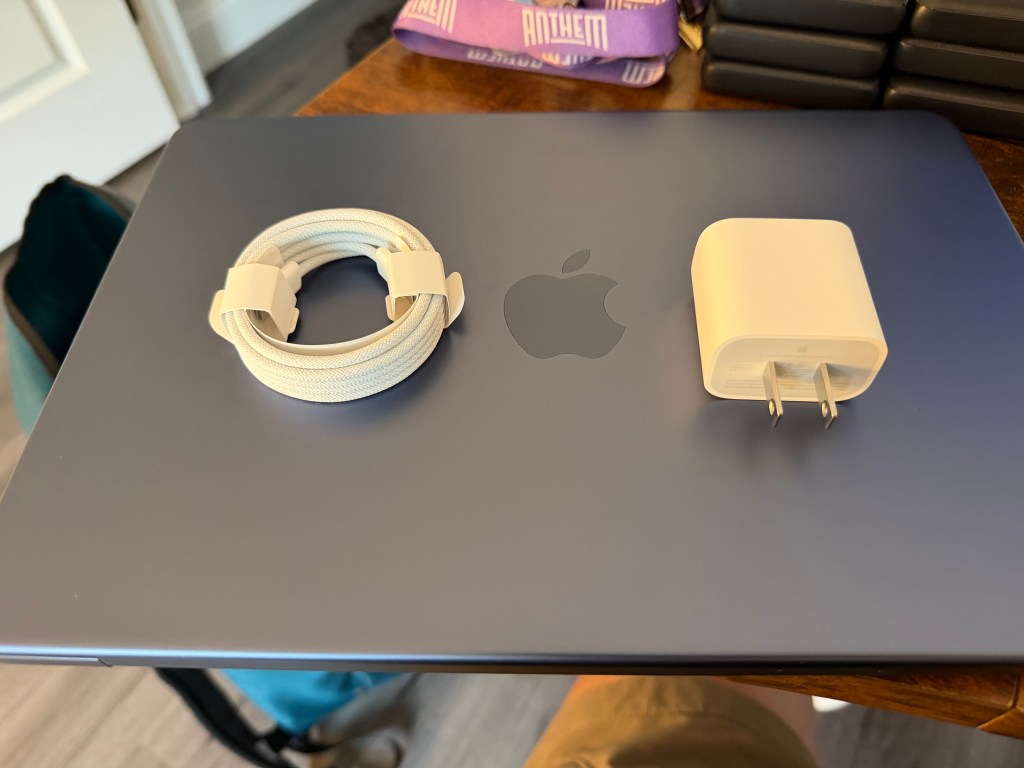
The MacBook Neo ships with a 2-meter (6′) braided USB-C charger and an iPad-style USB-C charger rated for 20W. I was surprised to not see the foldable 2-port 35W charger that comes with the MacBook Air, or the newer single-port 40W charger that you can order, but this truly is the budget offering, so that’s budget choice that Apple has made.
The shorter cable is long enough for many scenarios, but not all of them. It’s also not color-matched to the device, meaning I won’t have folks upset by a new charging cord that doesn’t match the device if it needs to be replaced with a stock — or, more likely, third party — option.
Next up, external aesthetics:
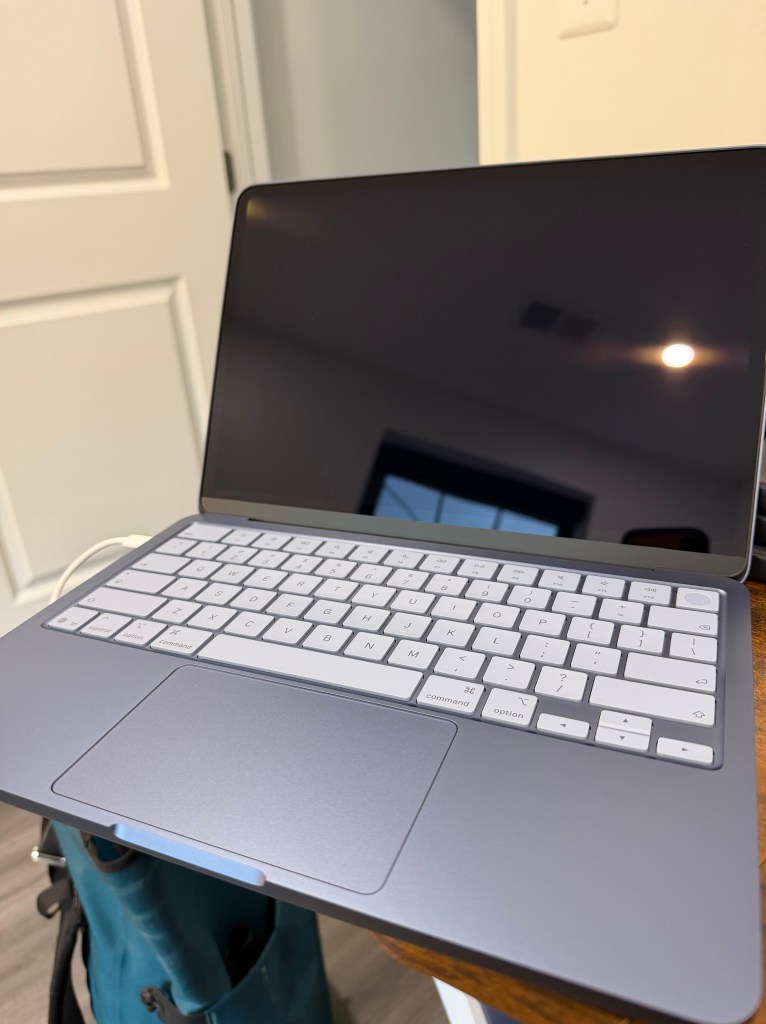
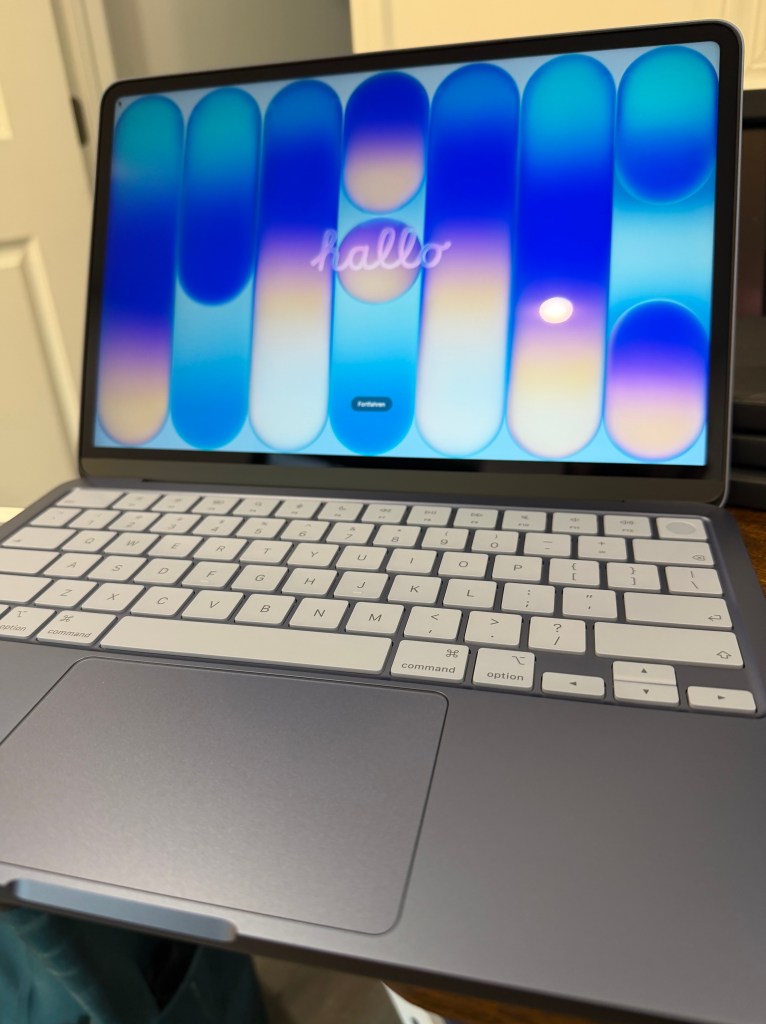
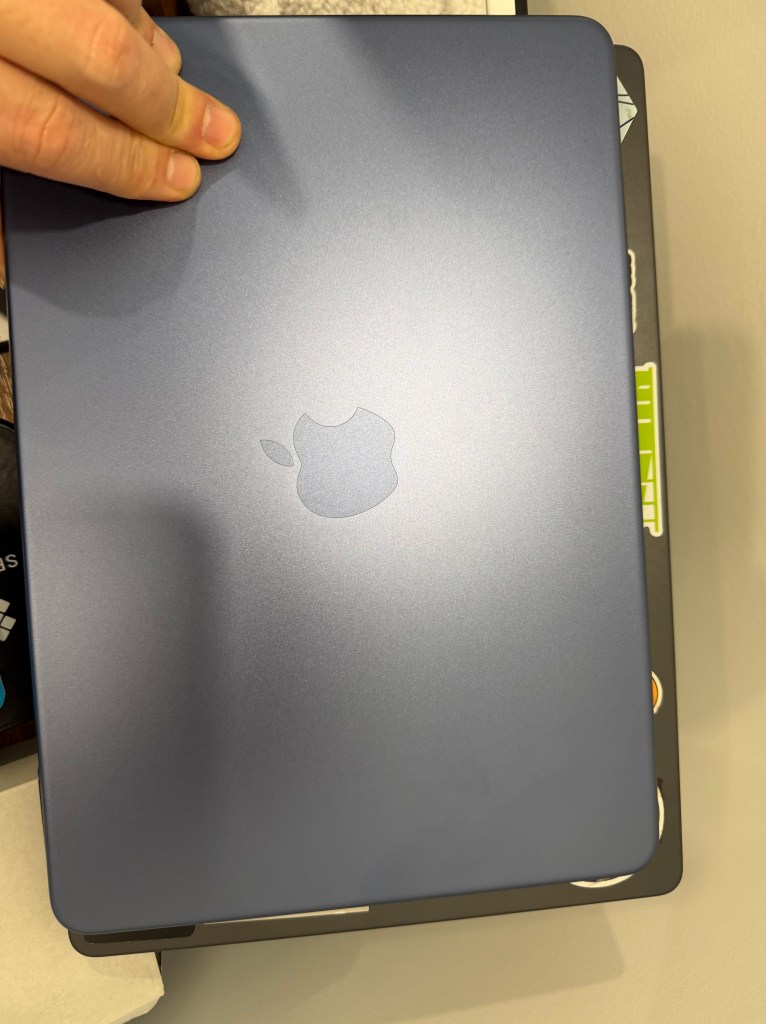
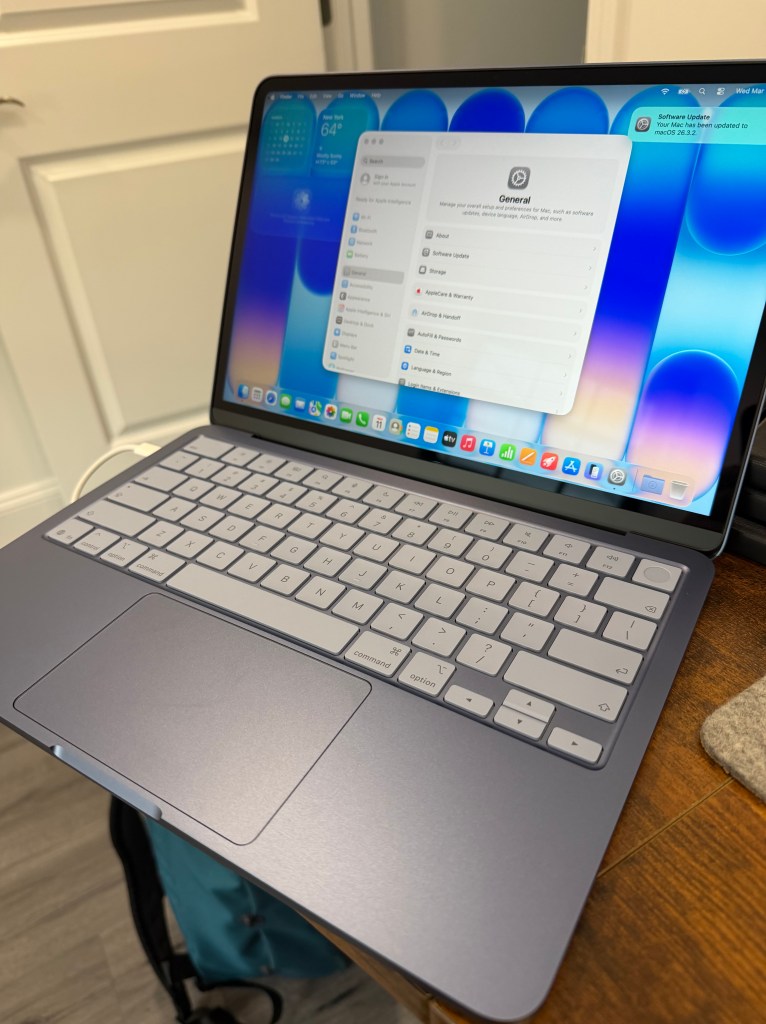
The MacBook Neo is a very gentle refinement of the current M4 and M5 MacBook Air model that makes up a lot of our current fleet. The corner radii of the traditional round-rect shape of the Mac is slightly more pronounced on the Neo. I actually prefer this slightly more rounded approach, but it also belies that the screen bezels are slightly larger on the Neo than on the Air. The Apple logo on the lid is not shiny, and the whole lid actually looks a bit like it’s behind a frosted glass pane, which looks very lovely. This feels a lot like the material that Liquid Glass is supposed to be inspired by, and it’s a good look. My objections with regard to Liquid Glass remain as an interface motif, but the physical representation of it aren’t the problem.
Where the new aesthetic choices shine, though, are when the machine is open. When I opened the Indigo tester I ordered, I was really quite delighted by the new choice on the keyboard. The unlit keyboard has a lighter shade of grey-blue for the keyboard, and it really pops. I love how this looks. I never found myself missing the backlight. The contrasty feeling of the light blue keys against the deeper hued chassis are a comfort to my eyes.
Typing on the new keyboard feels just like my desk keyboard, a Magic Keyboard with Touch ID. The keyboard here is uncompromised, which is a welcome relief. The trackpad on the Neo is a change from other models, not relying on haptic feedback, but rather a button mechanism that is beneath the device. There is not a lot of travel on the button, but you can see it visibly move less than a millimeter when you press it. It is a well-fitted assembly, though, and I don’t see this becoming a maintenance challenge for devices in the field. The current trackpads are sealed units, however, so that will have to be field-tested over time.
How does it fit into the work desk situation?
Well, this is where I was surprised. There has been a lot of back and forth from the tech community over the Neo’s specs. Only 8GB of RAM, only so much storage, only one full-speed port. All of these are tradeoffs Apple is making to reduce cost, and they are all reasonable trades for the average work computer.
I was able to use my existing Apple Studio Display at a lower resolution without any difficulty, as long as I plugged into the rearmost port, which is a full USB-C port, as opposed to the USB 2 speed port in front of it.
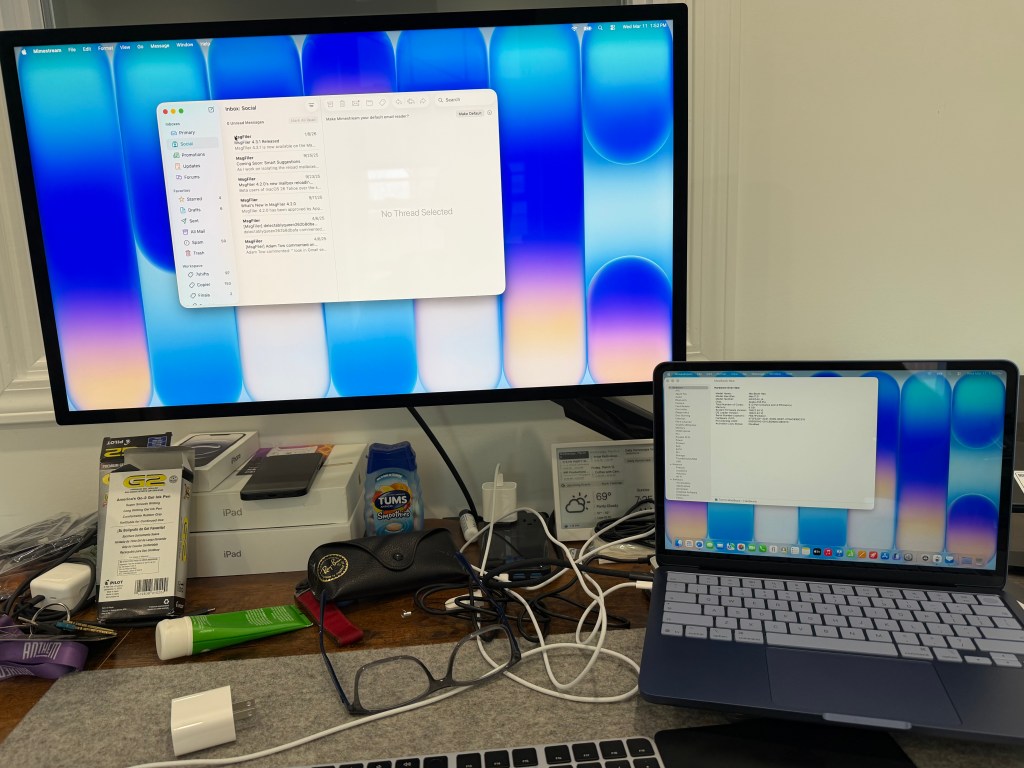
The Apple Studio Display (mine is a 2025 vintage of the version from 2021) works perfectly well as a 4K Display for the Neo, and it handles it very well. I never felt like I was missing the extra pixels, even if I could — if I squinted very hard — see the difference.
How does MacBook Neo handle standard tasks?
This week, I’ve been living on the Neo as my daily driver, putting my MacBook Pro M4 in a desk drawer and using the Neo wherever I go. My usual daily carry is the Pro on my desk in my office, and iPad Air M3 13″ with a keyboard in my backpack wherever else I go. At home, I’ve got an M4 Pro Mac mini, and a MacBook Pro M3 for use, as well. For this week, I’ve set all of them aside and I’m doing all my work on the Neo.
I live in the following workflows:
- Mimestream for work email and Apple Mail for personal email.
- Slack for centralized management of activity both personal and professional
- Safari for web browsing (standard) with Profiles for personal and work turned on.
- Chrome for specific sites that work best in Chrome (including one of our internal apps).
- Microsoft Office is still in heavy rotation, as no one who has ever mastered Excel can be expected to use Google Sheets and remain sane.
- 1Password for credential management
- Apple Notes and Reminders for productivity, along with Spotlight.
- Apple Photos for camera roll management
- Claude for desktop prompt management and working with AI workflows.
What worked well?
I was actually shocked at how good the web conferencing camera is on the lid. I was not expecting it to be so crisp and good. More on this in a bit.
Safari and Chrome are fast performers and loaders, and there’s nothing that either browser does on the A18 Pro that feels unnatural or bad. I didn’t have slow performance compared to what I normally experience in an active browser tab. Everything rendered with high fidelity to what I was expecting.
On the first day I had to do some basic video editing, and what better way to see how it handles than to try to do some basic iMovie. Scrubbing around was surprisingly quick, and when I was done cutting the movie, the export was just as quick. iMovie is a viable app here, but I’m not sure I’d trust Final Cut or Logic with the current workflows available, especially if you’re doing capture.
Office handled large documents well, even in track changes mode, which can be a UI nightmare on the best day. Excel handled the macros in our spreadsheets well, if not as fast as MacBook Airs from the last few years. The screen on the laptop is plenty for standard word processing and writing. I’m not sure I’d try the Creative Suite with 8GB of RAM, so our creative team will likely remain on MacBook Air and MacBook Pro models for the foreseeable future.
What’s not so great?
Well, web browsing is a little weirder than I want it on the Neo. It’s not the frontmost tab that’s the problem — Safari and Chrome are both zippy on the Neo — but every other tab that I have open just don’t stay rendered. There is aggressive memory control killing those processes and resurrecting them when I return to the tab that has been challenging. If I have a Google Sheet open in one, and a B&H cart in the other, I find myself ending up refreshing often involuntarily behind the scenes than I’d like, and that can be painful
The speakers leave something to be desired, but since I generally believe that using speakers at work is a crime punishable by exile or death, this isn’t a problem. The side-firing speakers are definitely better than those on PCs of the same price range, but you can absolutely hear how cheap they are. There’s no depth to these drivers at all. Get a pair of headphones, your coworkers will thank you.
Waking from sleep isn’t as instantaneous as it is with the MacBook Air and Pro line of devices. There’s a lot more that seems to happen on the lid-lift action that causes it to be slower to wake from sleep. Now, I don’t mean that we’re in the timeframe of several minutes to wake from sleep, but 30-40 seconds isn’t uncommon to wake, show the login screen, authenticate, and return the user to working. It’s long enough to make you notice it, where the MacBook Air and Pro are instantaneous. This is probably the thing that would drive me the craziest, while others would just accept it.
How does the revised microphone and camera perform?
The MacBook Neo has a major upgrade over the M1 MacBook Air in the camera and mic department. Tests on Zoom and Google Meet in the first week were better than expected. In a well-lit room, the 1080p camera is a substantial upgrade over the 720p camera in the M1, and the sensor handled dynamic range changes much better, especially in backlit environments. The microphone array is also a major upgrade, and on the calls I tested with, multiple participants on the other side were shocked at how good the audio is. Most modern videoconferencing solutions are processing both the audio and the video once they receive it, but you can’t refine details that never make it that far. The Neo provides plenty of fidelity here, even if I find myself skeptical about the lack of directly-connected green “the camera is on!” LED in the lid.
How about the networking picture?
The Wi-Fi chip in the Neo handles my home and work networks admirably, definitely better than the M1 Air my son uses, and in some cases better than the MacBook Pro M3.
It negotiates fairly slowly, however, and the time necessary to turn off the Wi-Fi interface and turn it back on again was longer than a minute under some of my testing. While Wi-Fi testing is often challenging due to atmospheric conditions in your environment, and may be fairly variable, this is a place where your mileage may vary from mine. But below, on the left is the signal from a MacBook Pro 14″ M3 (2024), and on the right is the signal from the MacBook Neo (2026).
The Neo is showing 11 dBm better signal, for an increased MCS Index of 11, maxing out the speed at 573 Mbps of Transmit Rate. Internet speed tests with Fast.com were coming out at 310 Mbps of throughput to the device, slightly better than half duplex. The same test average on the M3 MacBook Pro was approximately 230 Mbps under its conditions. This is the test, however, that has the least confidence of all of my testing. Wi-Fi conditions are highly dependent on a lot of uncontrollable factors that may be transient.
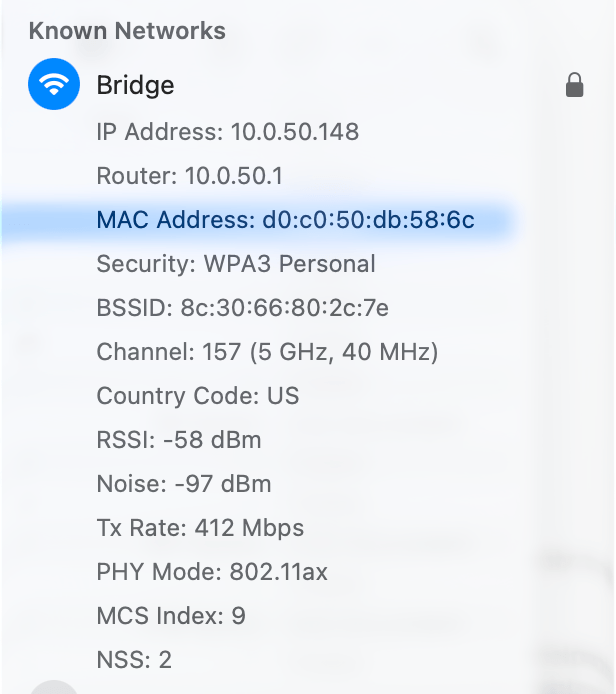
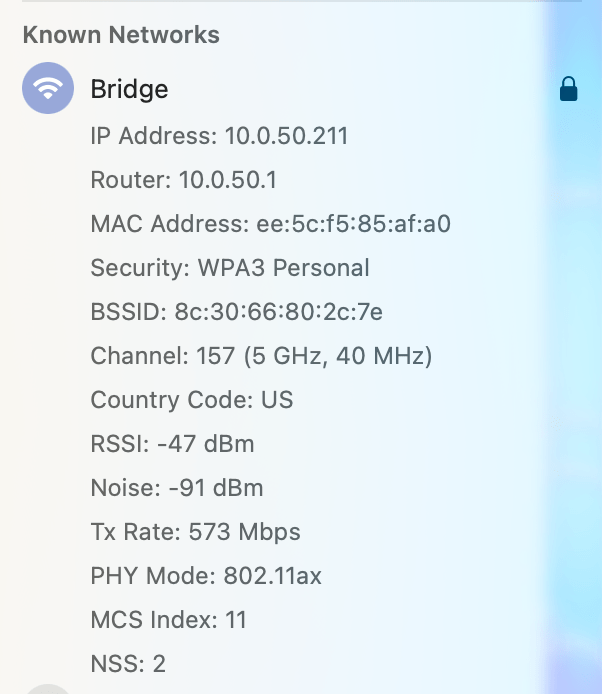
It’s very possible that the MacBook Neo has Apple’s best non-N1 Wi-Fi chip in the lineup, and that was a very big surprise indeed.
Odds and Ends
Every Mac that has run a modern macOS version, all the way back to the beginning of Mac OS X, has set a local name that has corresponded to the first user’s first name, followed by an apostrophe s, and the model of the device. Roger’s Mac mini. Jane’s MacBook Air. It’s a familiar pattern that most recognize instinctively. I was surprised to see that my device is listed as “Tom’s MacBook” in the System Information:
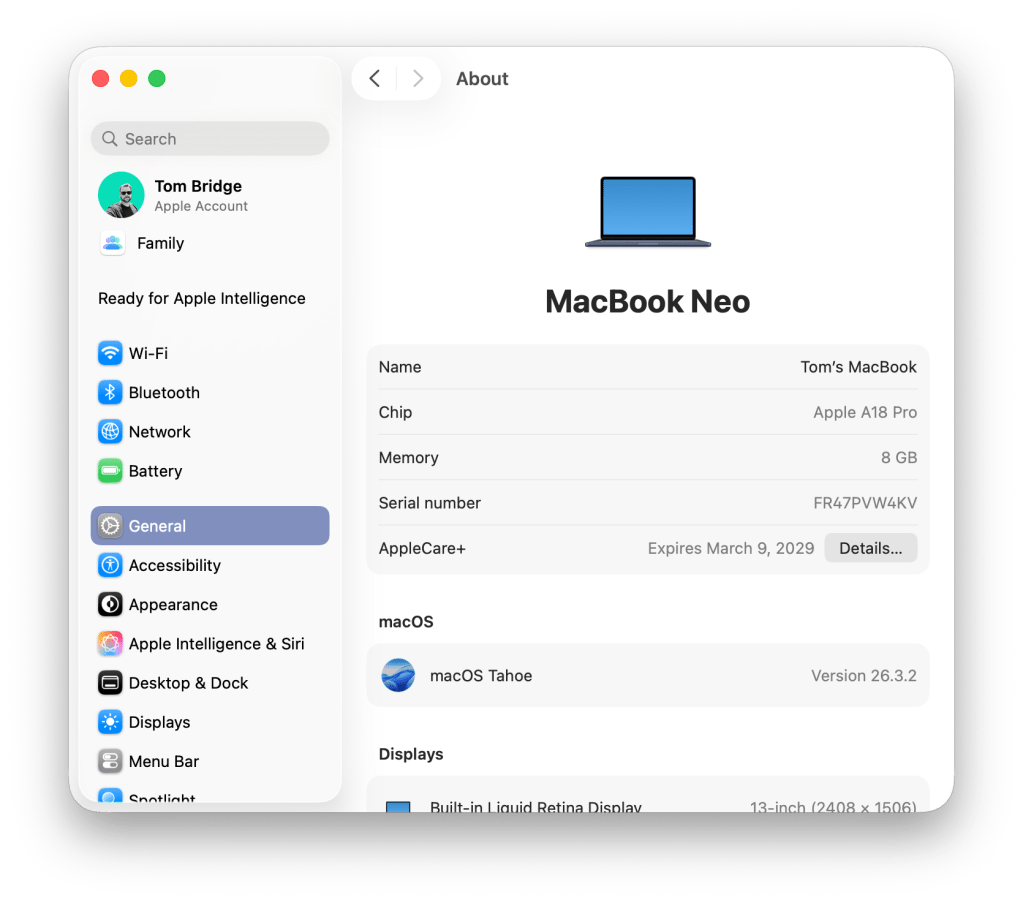
I wonder if they meant to call this something else (MacBook) and left the string in place, or is this just a thoughtful interpretation of what the Neo is: an adjective, not the name? Either way, this felt right.
What’s the overall verdict?
The MacBook Neo is a capable general purpose computer, and despite its shortcomings, it’s a performer for day to day use. I can envision using these where we’d normally have a hand-me-down MacBook Air, or in the event we needed a broader loaner pool for most of our staff, this Mac will perform well enough to make it a great part of our ecosystem.
I suspect that I won’t change our go-to daily driver for most of our digital-facing staff, which remains a MacBook Air, but for role-based use, utility use, loaner pool use, and to purge the last of our Intel fleet, this machine will handle exactly what we need it to. Great job, Apple, making this feel exactly like every other Mac I’ve used. The sky is truly the limit, unlike the iPad, where even though it comes with a whole lot more horsepower, it still feels like something waiting to happen. A sports car dream without the right steering wheels, and far, far too many guard rails to make it the right choice.
 Cannonball