

At the end of 2024, we completed a project a couple years in the making: we added an 8.875 kW solar system to the roof of our house. We’ve long wanted to do it, but it’s never been quite the right time.

We don’t have a huge roof, all of about 1500 square feet, but it is enough for this system. We opted not to get the battery because it would double the cost. Maybe later. It took the better part of four months to coordinate the installation, and they completed on Christmas Eve. Once the system was installed, we had to wait while the city inspectors came out, and then while Pepco got our meter firmware updated, but in the middle of February, we got permission to operate, and Tiff got to throw the big heavy switch on the side of the house.
Once we were generating, I found myself looking at the Enphase Enlighten app a fair amount during the day and marveling at what we were able to generate. But that’s where I ended up down a rabbit hole. Both Tiff and I wanted a better, more tangible way to look at the current state of play with the solar system.
Thankfully, we had some shoulders to stand on. Jason Snell of Six Colors had a good way to put it in my menu bar, but was that enough, truly, to meet the needs of the Bridge House? Friends, you know it was not.
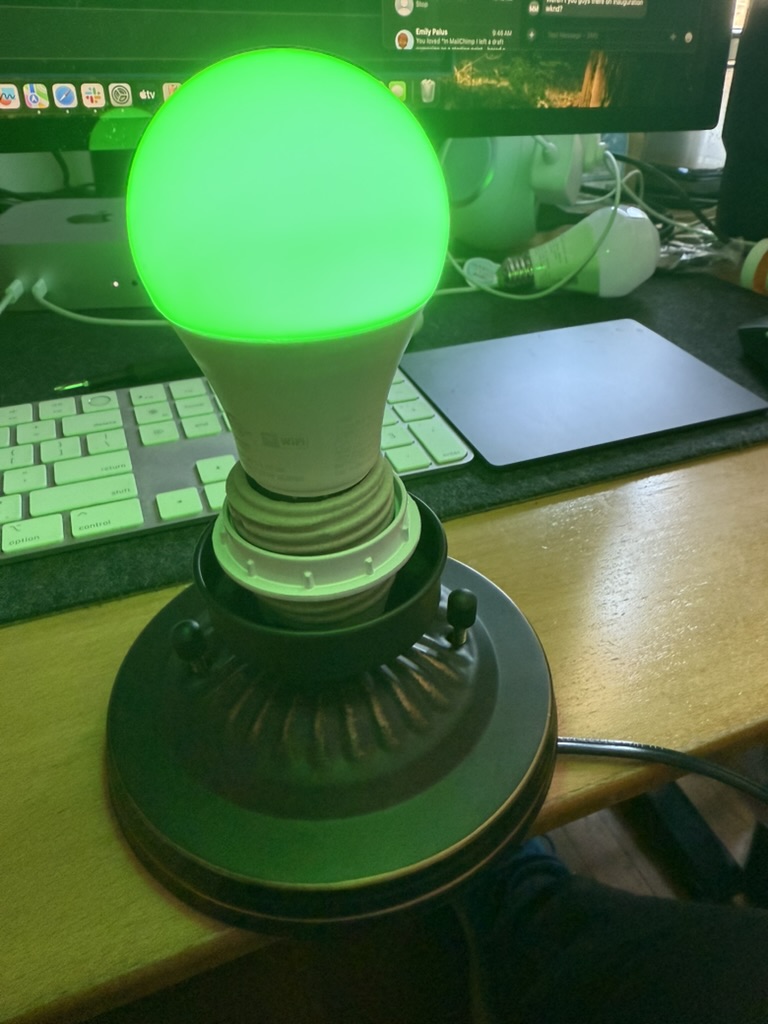
Channeling Charles, I went full overkill for the solution. I have been talking with some folks lately about Home Assistant, and how it can bridge in a lot of great options into your smart home. Sure enough, there was a bridge for our Enphase Envoy collector. Between a quick Raspberry Pi 4B kit, and a trip to the local hardware store(s), I had everything I needed to make a physical indicator light for the solar system. Now, I am fairly grateful that our particular house doesn’t have a regressive historical commission, and in fact demanded that there be something like it created.
Here’s what I started with:
- A Raspberry Pi 4B kit ($130)
- A FEIT Electric Smart Bulb from the Ace Hardware up the street ($12)
- A flush-mounted light socket with base ($19)
- Some wire nuts
- A 12′ roll of lamp cord
- A polarized plug
So, what was I trying to do?
Well, I wanted a way to know two things: “Is the solar system generating more than a kilowatt of power?” and “Have I covered my power bill for the day?”
The latter one was an interesting result of watching our power utilization on a day to day basis. We have a mostly-electric house, but we do have natural gas heat (a boiler, for our radiators) and a natural gas stove, so our winter electric utilization is often fairly low. If the day is pretty sunny, we can easily clear the 20k kWh total use mark that we do in the winter. I’m sure we’ll have to adjust once we start having to use air conditioning, but hopefully that’s a May problem.
The Enphase plugin for Home Assistant gives us a really broad view of telemetry from the solar array AND the utilization of the house’s main power:

From there, it was straight forward to build the Automation triggers based on thresholds we could define:

The hardest part ended up being talking to the FEIT Electric bulb! I had hoped it would be straight forward to talk with a single HomeKit bulb with Home Assistant, but unfortunately that seems to be a far longer piece of work. The FEIT native application for bulb setup doesn’t have a Home Assistant bridge, but it turns out the FEIT bulbs are just white-labeled versions of Tuya’s bulbs, and that does have a Home Assistant plugin.
Once I got the bulb on the network with the Tuya app, and that connected to Home Assistant, I could change the color of the bulb at a moment’s notice, and control whether it was on or off.
From there, I created three main automations:
Turn on the light when we’re over 1 kW of generation, set the color to yellow:

After that, once we reach 20 kWh of solar generated for the day, switch it to green:

And of course, why burn energy when you’re not getting it for free? Once the solar system drops below 1 kW of generation, turn off the light:

It was great to have a central place in the house we could see at a glance how our system was going! But, then I realized: could I get push alerts on this, too?


Now I get a little alert when I’m working at the office to know the solar array’s doing its job.
Home Assistant has been a lot of fun to play with, and it does a ton of different things, I’m kinda looking forward to going deeper.
 Cannonball